The Social Media MCP That Lets You Approve Posts Before They Publish
Post more often with the AI assistant you already use, without putting your brand's reputation at risk.


How Social Media MCP Works
Works with Claude, ChatGPT, Gemini, Copilot, Perplexity and Grok.
- Claude
- ChatGPT
- Gemini
- Copilot
- Perplexity
- Grok
Request Your Posts
Tell your AI assistant what you're promoting and which social profiles to post to.
Review The Previews
See a social message preview of every post, and request any changes.
Approve And Schedule
Approve the posts you like, and CoSchedule schedules them on your calendar.
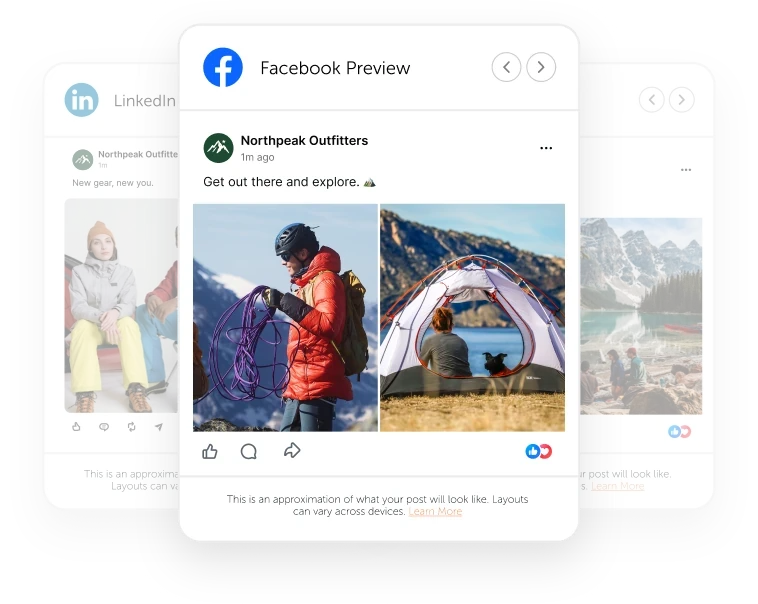
Stay In Control Of Every AI-Written Post
Let AI write your first drafts while you decide what your audience sees.

Keep Your Feed Polished
Social Previews show each post in the chat the way your followers will see it. Your feed stays polished, even when AI writes the first draft.

Pick The Best Version, Not The First One
Request a few drafts of a post and compare them side by side in the chat. Publish the strongest version and get more engagement from every post.
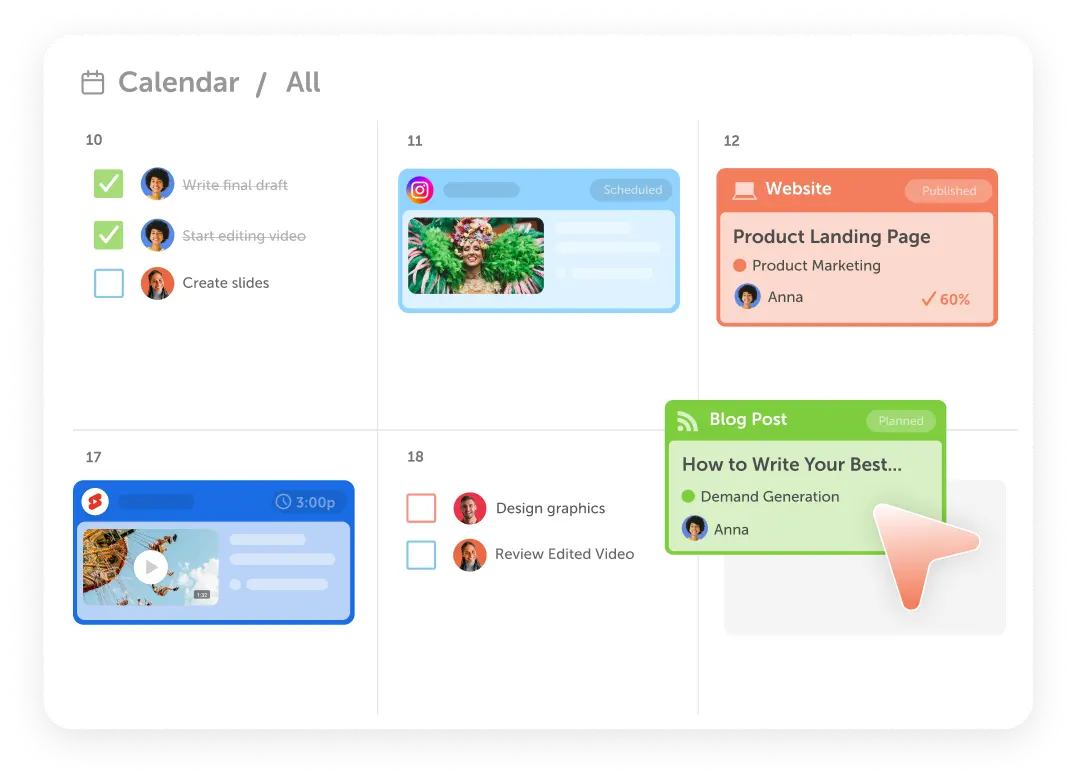
Go From Prompt To Published Without Copy And Paste
Write posts with AI and schedule them to CoSchedule in the same conversation.

Schedule A Week Of Posts With One Prompt
Keep your audience engaged with a full week of posts from a single prompt. Approve the whole week in one click, with every post written for its network.

Bring Your Own Images And Video
Pair AI-written posts with your own photos and videos, so every post looks like your brand. Every file you add is saved to your CoSchedule Assets, ready for your next campaign.
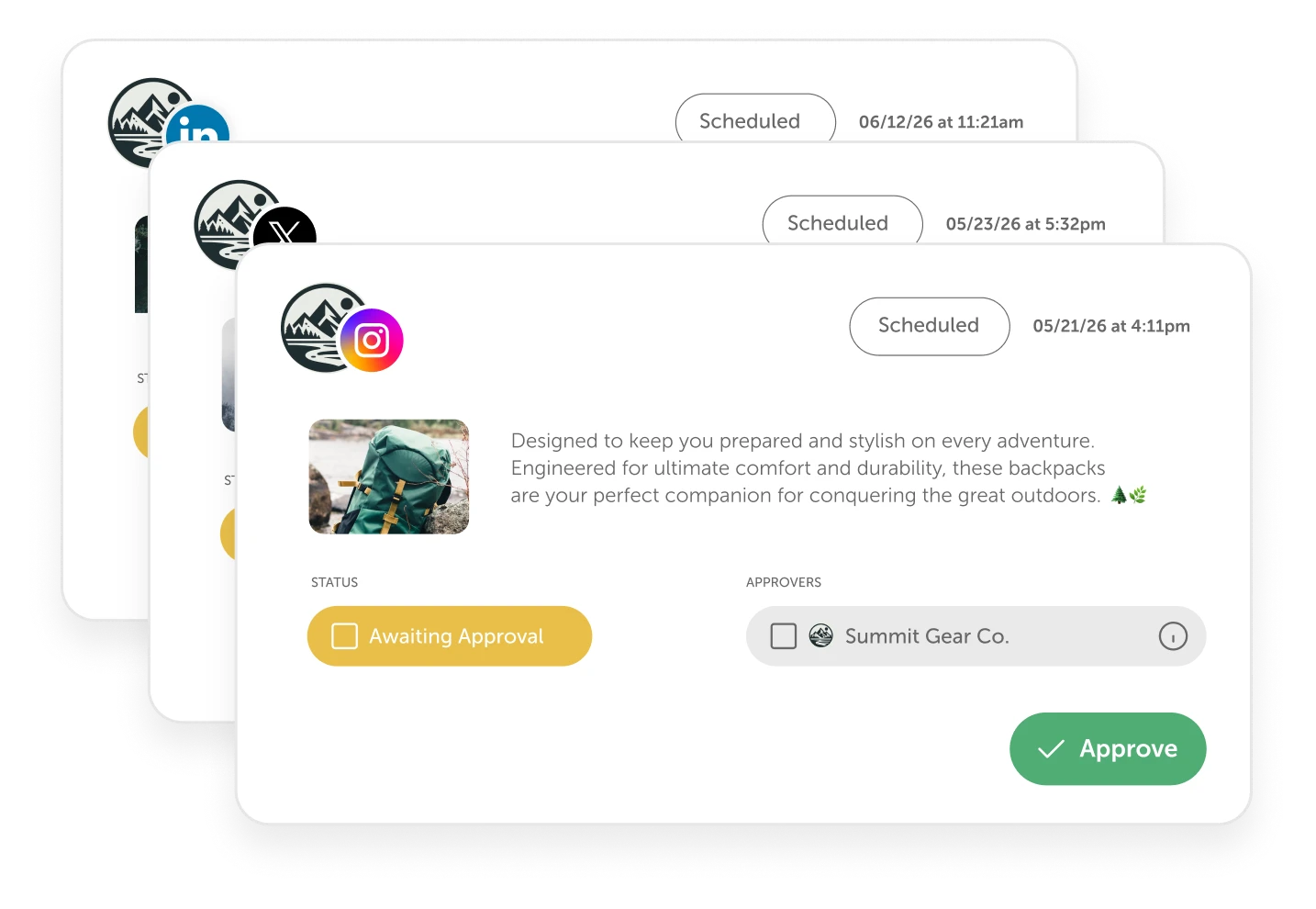
Use Approval Workflows, Even When You Post From An MCP
Posts created in Claude or ChatGPT go through your Social Approvals, just like posts created in CoSchedule.

Know Who Still Needs To Sign Off
When a post needs approval, your assistant tells you which approvers it's waiting on. Your boss and clients still approve every post before it publishes.

Give Every Teammate The Speed Of AI
Let interns and new teammates write posts in Claude or ChatGPT, too. Their posts follow the approval rules you already set, so your team creates more content without lowering your standards.
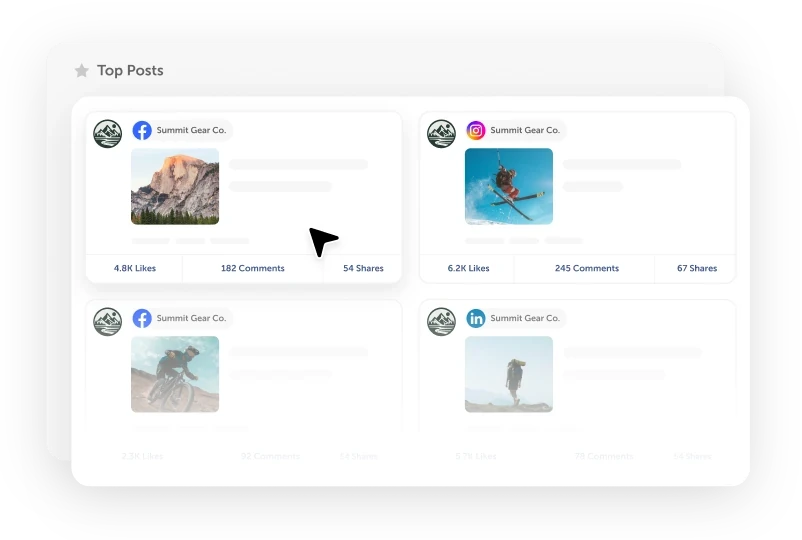
Write Your Next Posts From What Already Works
Grow your engagement by learning from every post you publish.

Write More Posts Like Your Top Performers
Do more of what already works on social media. Your AI assistant can read your past posts and their engagement, so every new draft builds on your best performers.

Get Answers About Your Results In Plain Words
Ask which posts earned the most engagement last month or how fast your followers are growing, and get a clear answer from your CoSchedule data.
What Comes With Social Media MCP
Claude
Add CoSchedule from Claude's connector directory and sign in.
ChatGPT
Add CoSchedule from ChatGPT's app directory and sign in.

More AI Assistants
Connect Gemini, Copilot, Perplexity, Grok or any AI tool that supports MCP.

No API Key
Sign in with your CoSchedule account instead of copying an API key.

Network Best Practices
Every post follows the best practices for the network you're scheduling it to.

Best Time Scheduling
Publish each post when it will earn the most attention and engagement.

Edit Scheduled Posts
Update the copy, media or timing of a post before it publishes.

Drafts
Save AI-written posts as drafts to finish later in CoSchedule.

Account Permissions
Your assistant sees only the calendars and profiles your CoSchedule account can.
Prompts To Get You Started
Copy a prompt into your AI assistant once CoSchedule is connected.
“Plan a week of LinkedIn and Instagram posts promoting our new guide, and show me how they'll look.”
“Write three versions of a post for our webinar and let me pick one.”
“Move Friday's Instagram post to Monday at 10 a.m.”
“Which of our posts earned the most engagement last month? Write next week's posts based on our top performers.”

This solves the repetitive copy and paste of social messages to each platform and each profile on the platforms.
Social Media MCP Comes With Every CoSchedule Plan

Starter
Best for the one-person marketing department. Plan and schedule your social media from Claude or ChatGPT, and see what's working without opening a report.
Start 14-Day Free TrialProfessional
Best for small marketing teams and agencies. Everything in Starter, plus Social Approvals, so AI-written posts get your team's sign-off before they publish.
Start 14-Day Free TrialSuite
For marketing departments running social and content across brands or teams. Everything in Professional, plus Custom Team Roles, so you decide exactly whose posts need approval, including posts written with AI.
Book A DemoQuestions About Social Media MCP
Yes. CoSchedule's Social Media MCP lets Claude, ChatGPT, Gemini, Copilot, Perplexity, Grok and other AI assistants that support MCP create and schedule social posts on your CoSchedule calendar, and a post is scheduled only after you approve a preview of it.
MCP (Model Context Protocol) is the standard AI assistants like Claude and ChatGPT use to work with other apps. CoSchedule's MCP server lets your assistant read your calendar and create, schedule and edit social posts on it.
Claude, ChatGPT, Gemini, Copilot, Perplexity and Grok. In Claude and ChatGPT, it's listed as CoSchedule in their directories. Any other AI tool that supports remote MCP servers with OAuth can connect at https://platform.coschedule.com/mcp.
No. CoSchedule won't schedule a post from an AI assistant until you approve a preview of that exact post. If the post changes after you approve it, you see it again. In AI apps that can't show the preview, your assistant describes the post and waits for your answer.
Every plan, including the free plan. Plan limits still apply, such as the free plan's 15 scheduled posts at a time.
All 11 social networks CoSchedule publishes to: Facebook, Instagram, LinkedIn, Pinterest, TikTok, Threads, Bluesky, Mastodon, Google Business Profile, YouTube and X. Each draft is checked against its network's rules before the post is created, such as the video and title YouTube needs. See social publishing
Yes, on the Professional and Suite plans. When Social Approvals is on, posts from your AI assistant wait for your approvers like any other post, and your assistant tells you who needs to sign off. See Social Approvals
Yes. Use media from your CoSchedule Assets, paste a link, attach a file in ChatGPT or upload files through the upload box your assistant gives you. Every file is saved to Assets.
Not today. Social Media MCP creates, schedules and edits posts that haven't published yet.
Only what your CoSchedule account can see: the same calendars, labels and social profiles. You sign in with your CoSchedule account, so there's no API key to share, and you can disconnect at any time. Whether your chats are used to train AI models depends on the AI app, so check its data policy.

Get More Scheduled, From The AI You Already Use
Start Your Free TrialAlready a CoSchedule customer? Connect Claude · Connect ChatGPT